
Accreditation
How Split Gate works for coaches
Follow one coach through a week: the roster, the numbers behind each client, a group class and the bookings. Every screen below is the real app, on the Trainer plan.


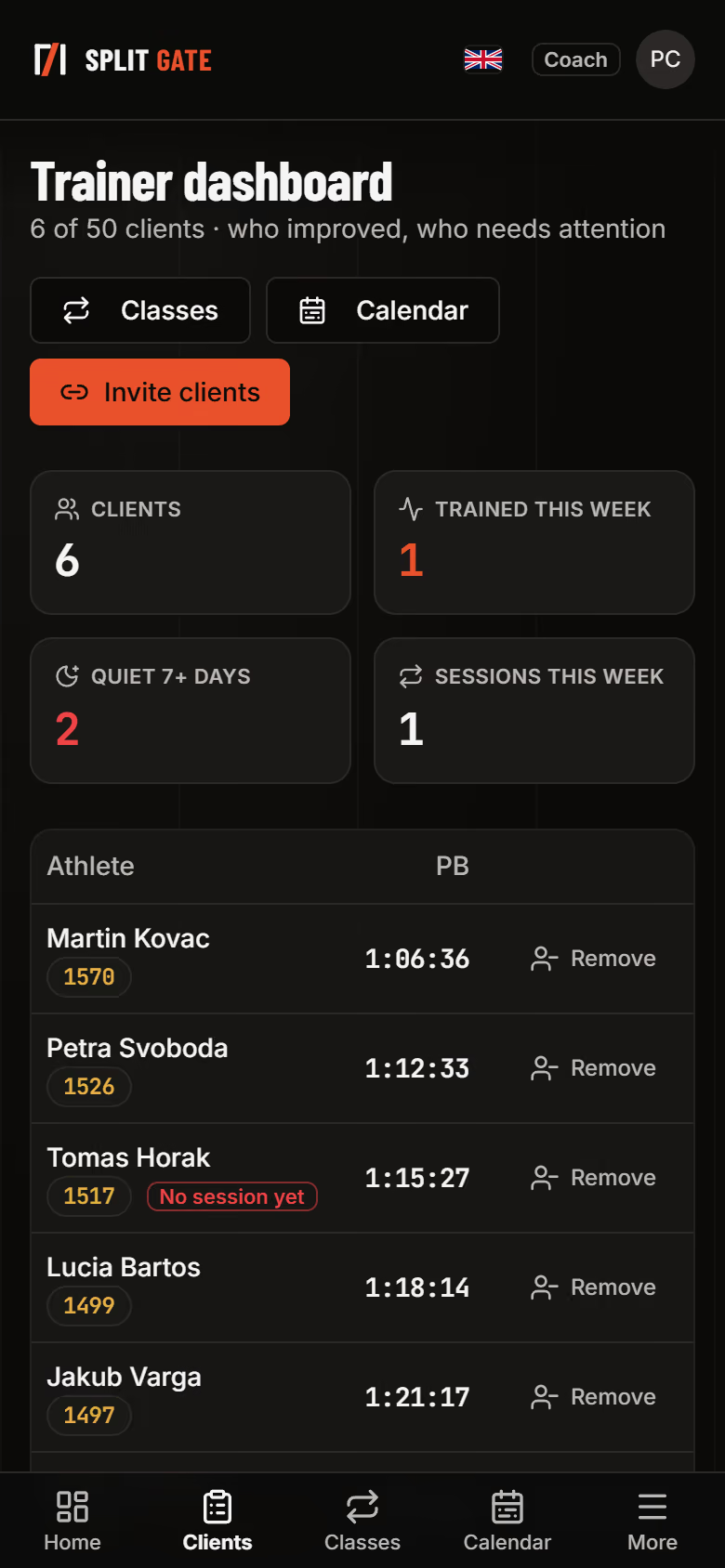
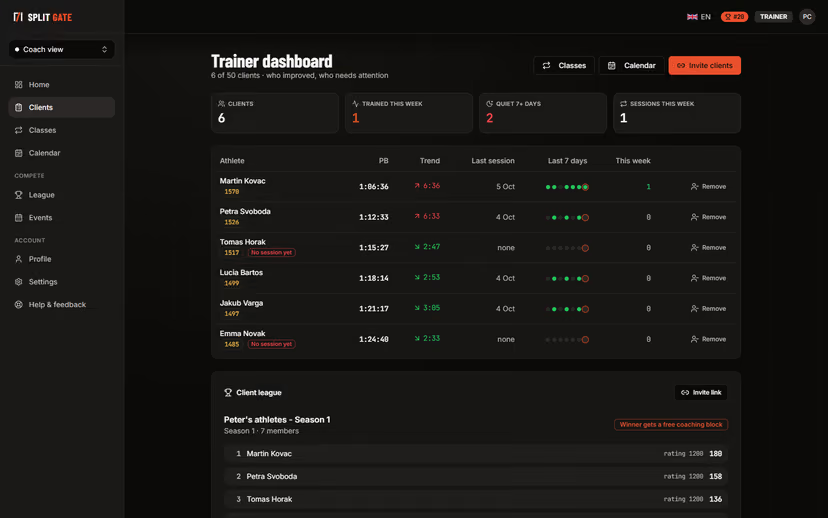
See your whole roster at a glance
Every client with their best time, their trend and their last seven days. The tiles on top count who trained this week and who has been quiet for seven days or more.
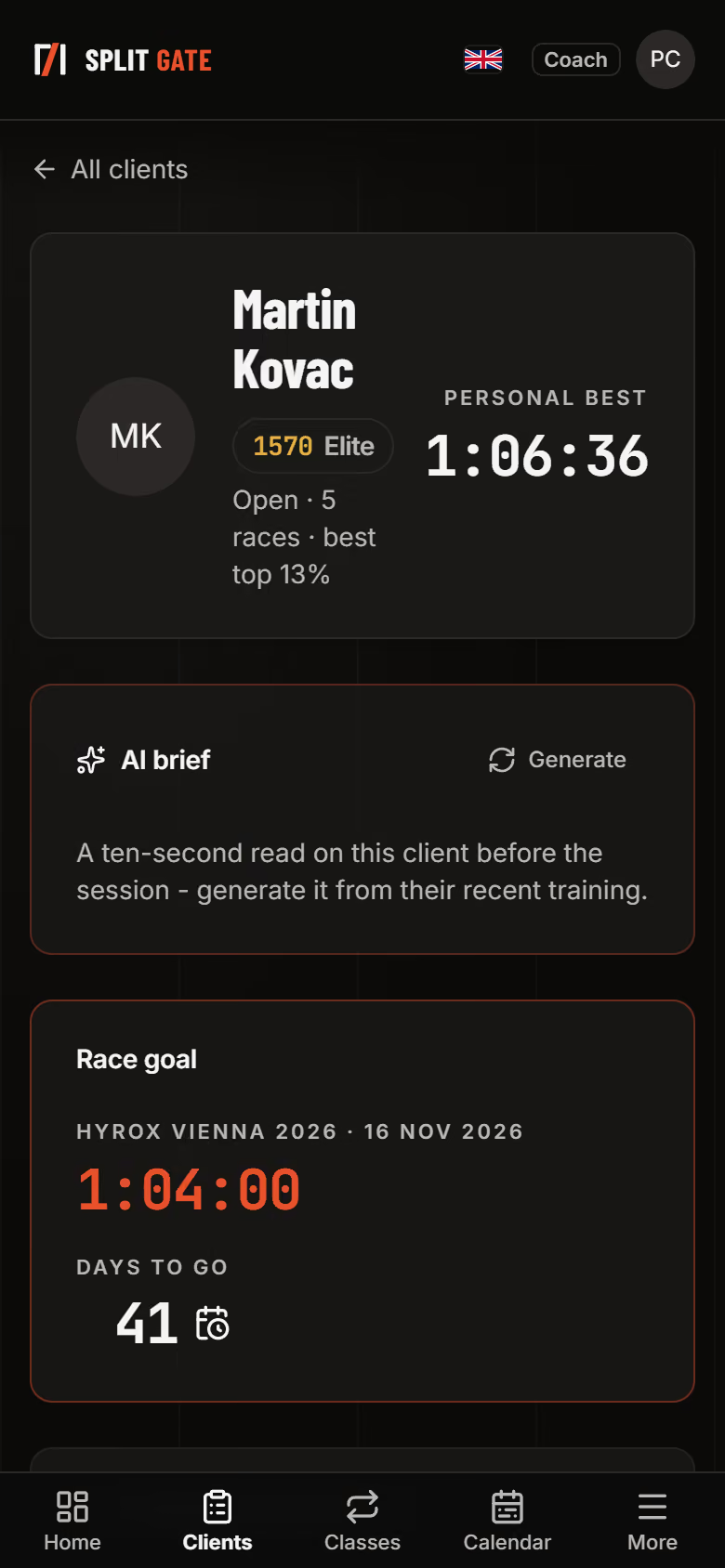
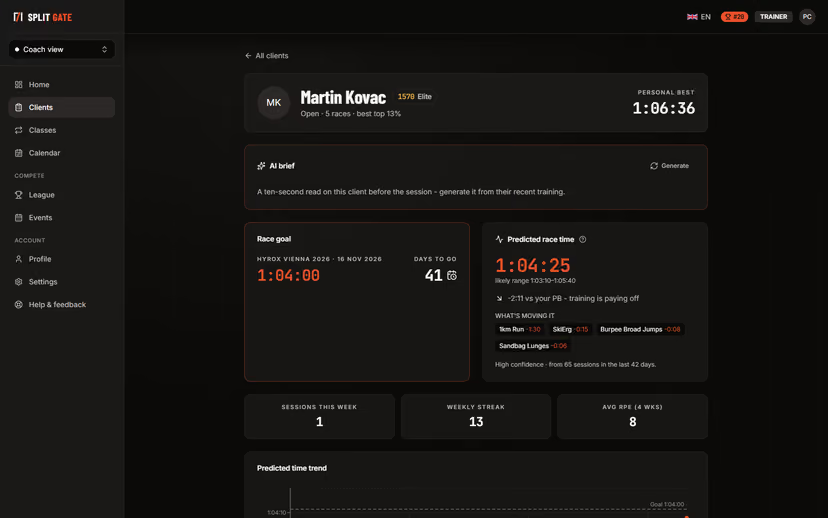
Open a client before you meet
Their race goal, days to go and predicted finish time, with the stations that are moving it. Sessions this week, weekly streak and average effort sit underneath.
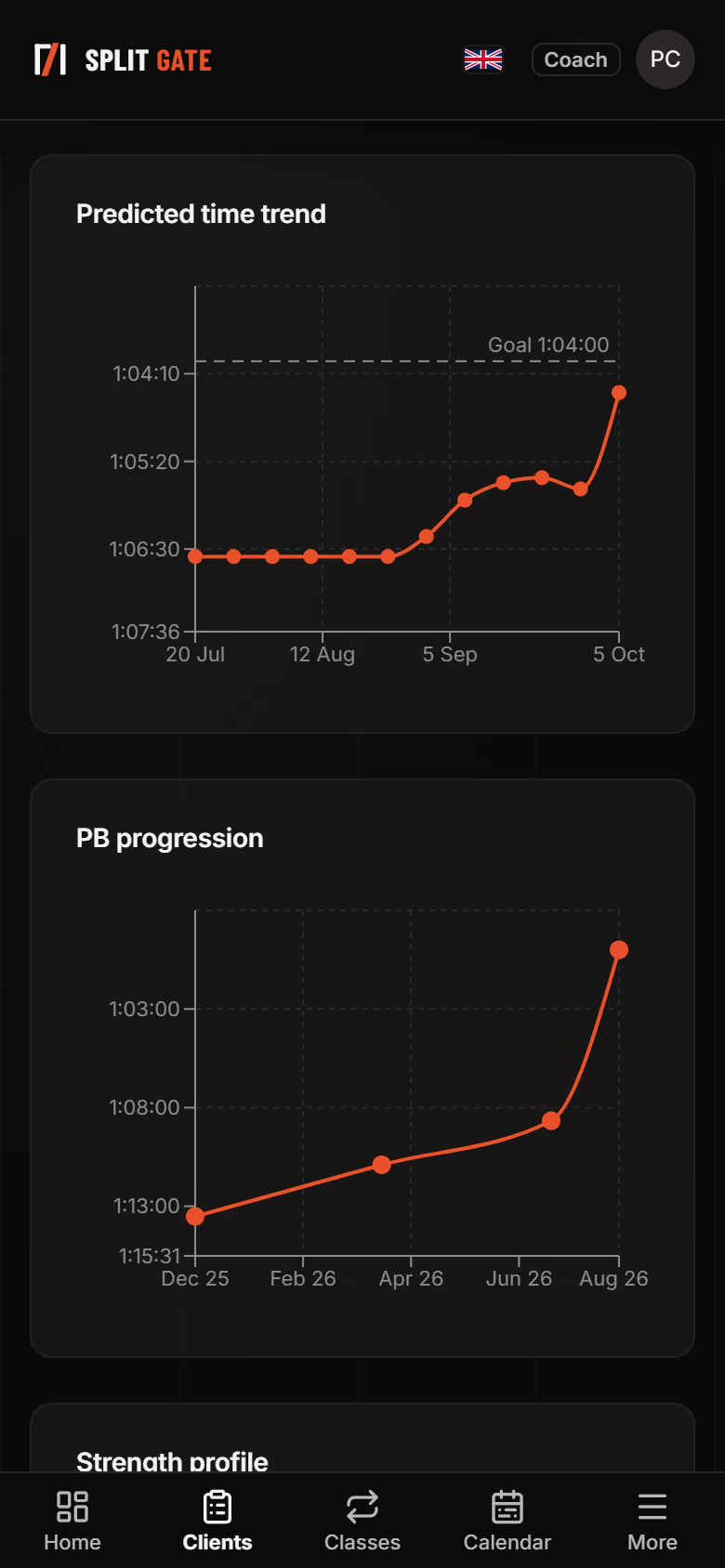
Read the numbers behind the work
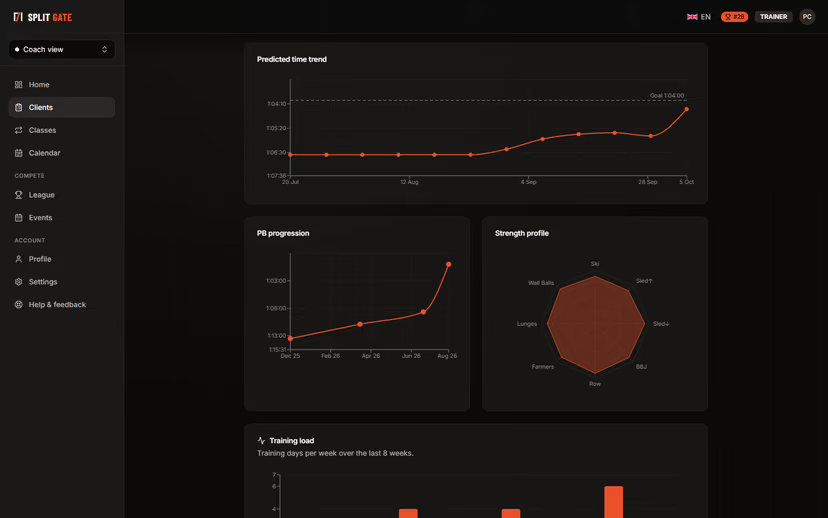
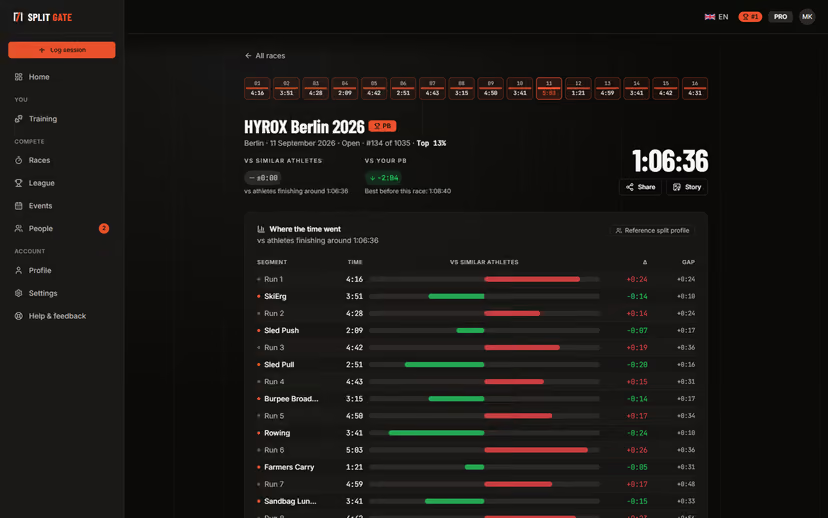
The predicted time week by week against the goal, personal-best progression across races, the strength profile by station and training days per week for the last eight weeks.
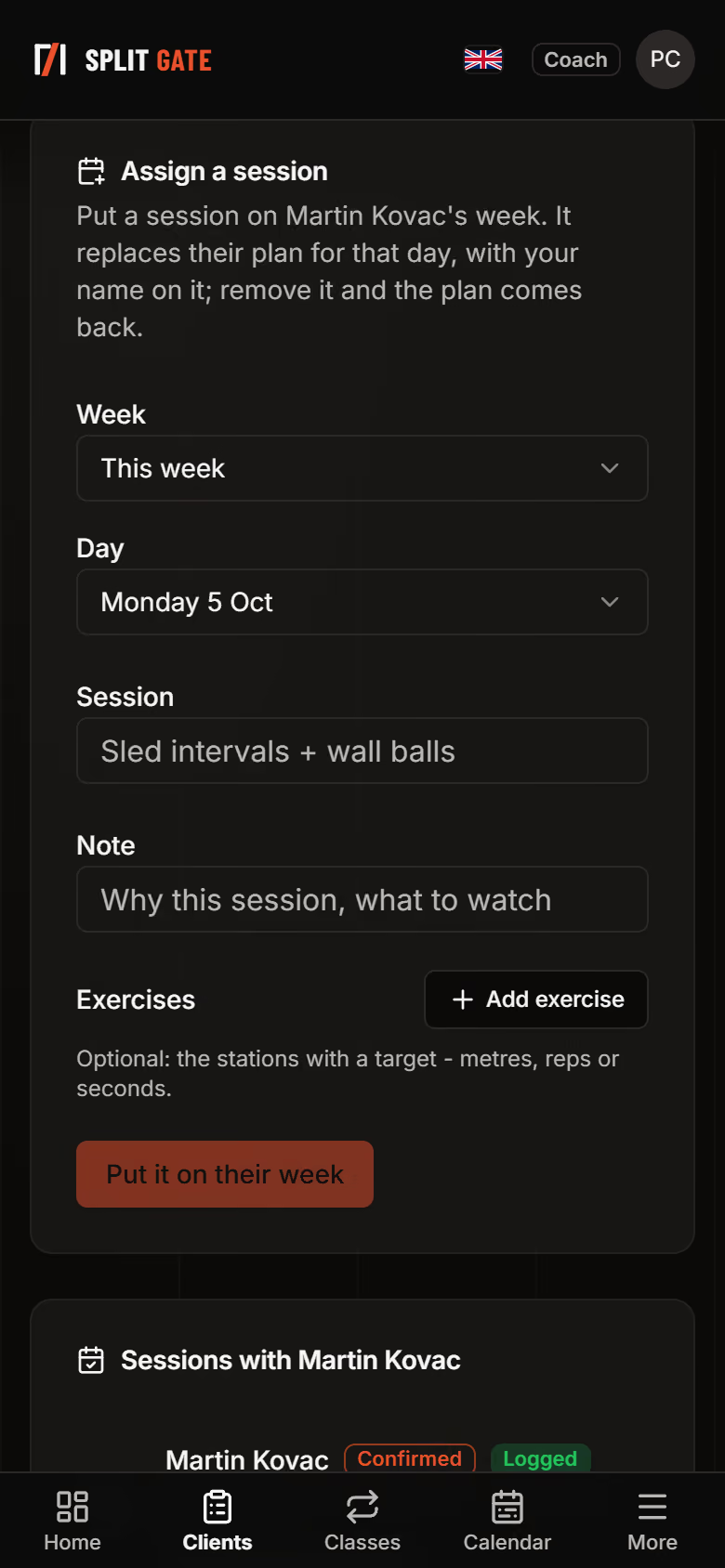
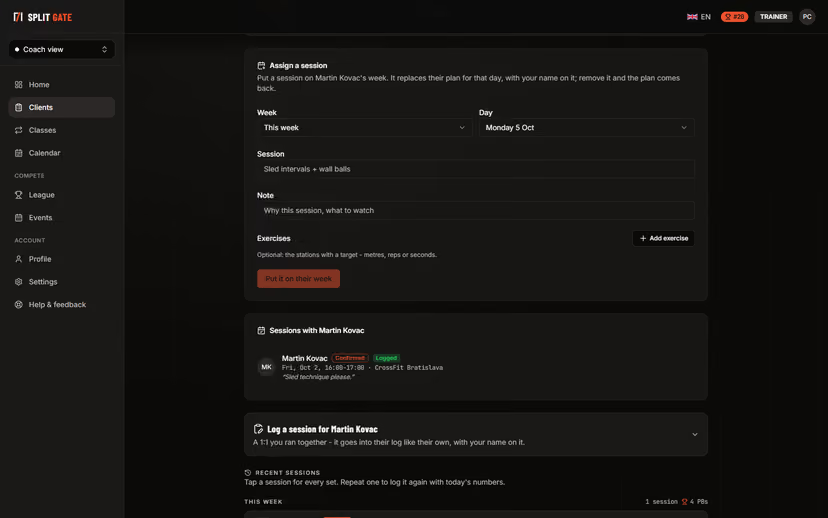
Put a session on their week
Assign a session with exercises and targets for a chosen day. It replaces their plan for that day with your name on it, and a one-to-one you ran together can be logged straight into their record.
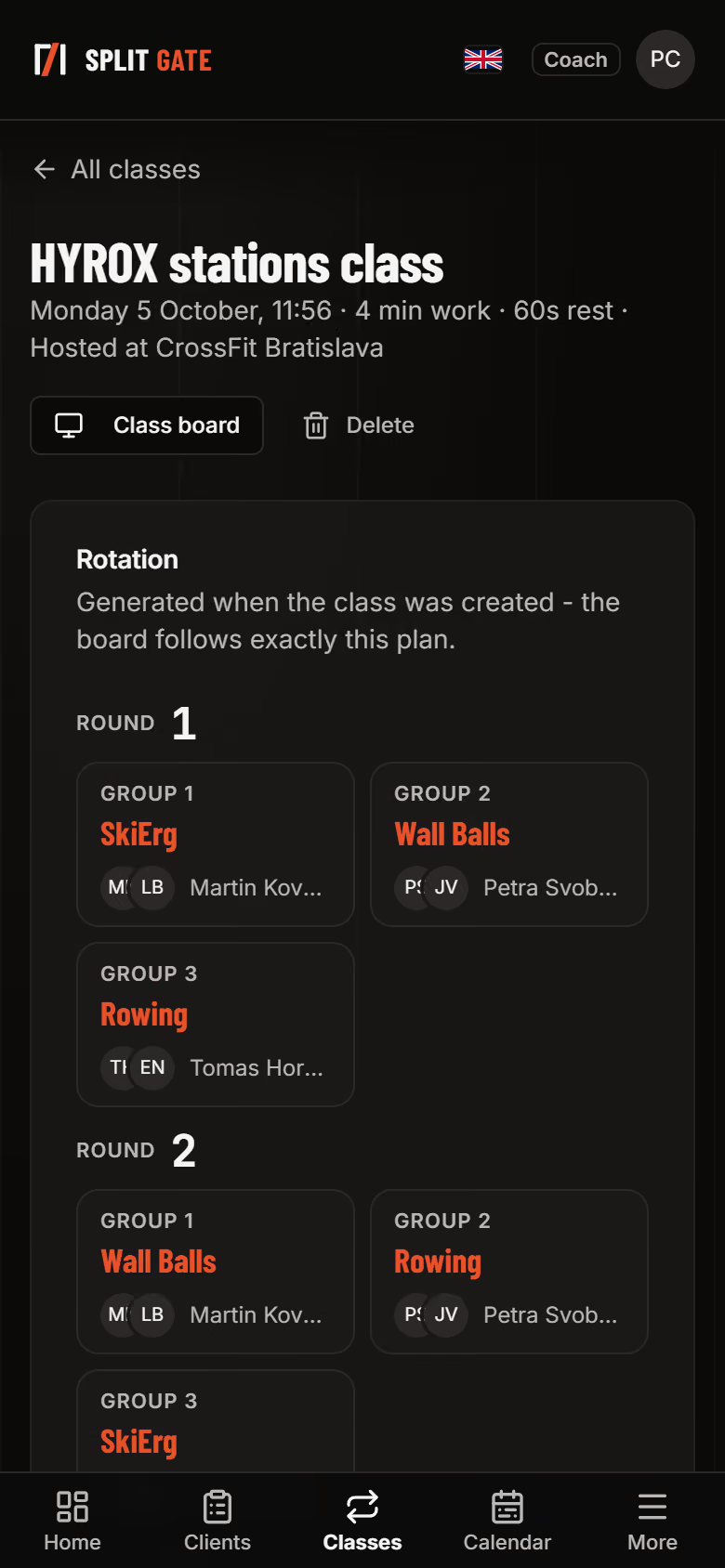
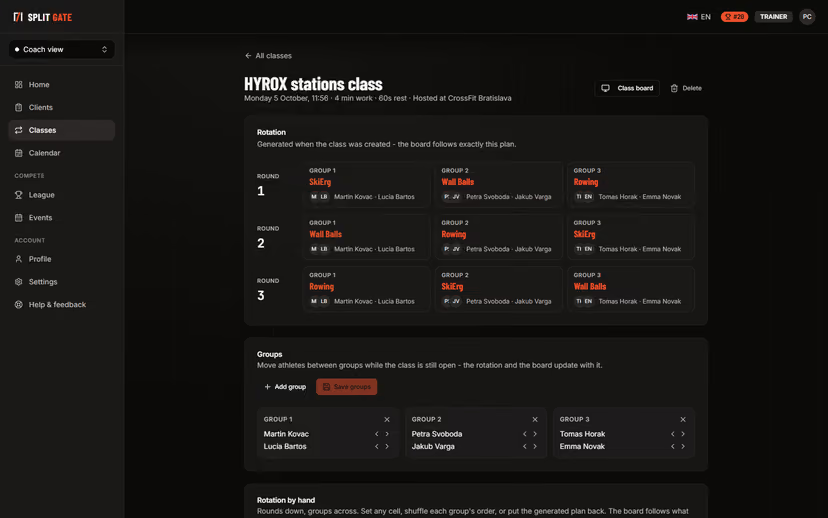
Plan a group class
Pick the stations and the work and rest times, and the rotation is generated for you. Move athletes between groups or set the rotation by hand until the class starts.
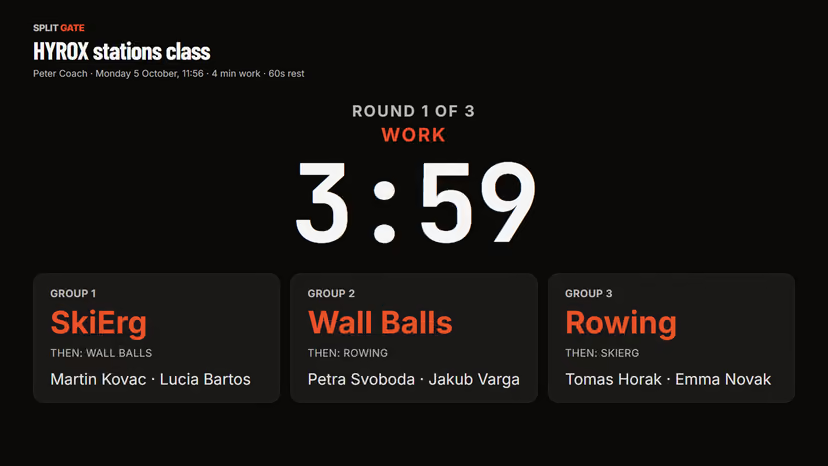
Run it from the wall
The class board shows the round, the clock, each group's station and what comes next. Put it on a TV and the class runs itself.
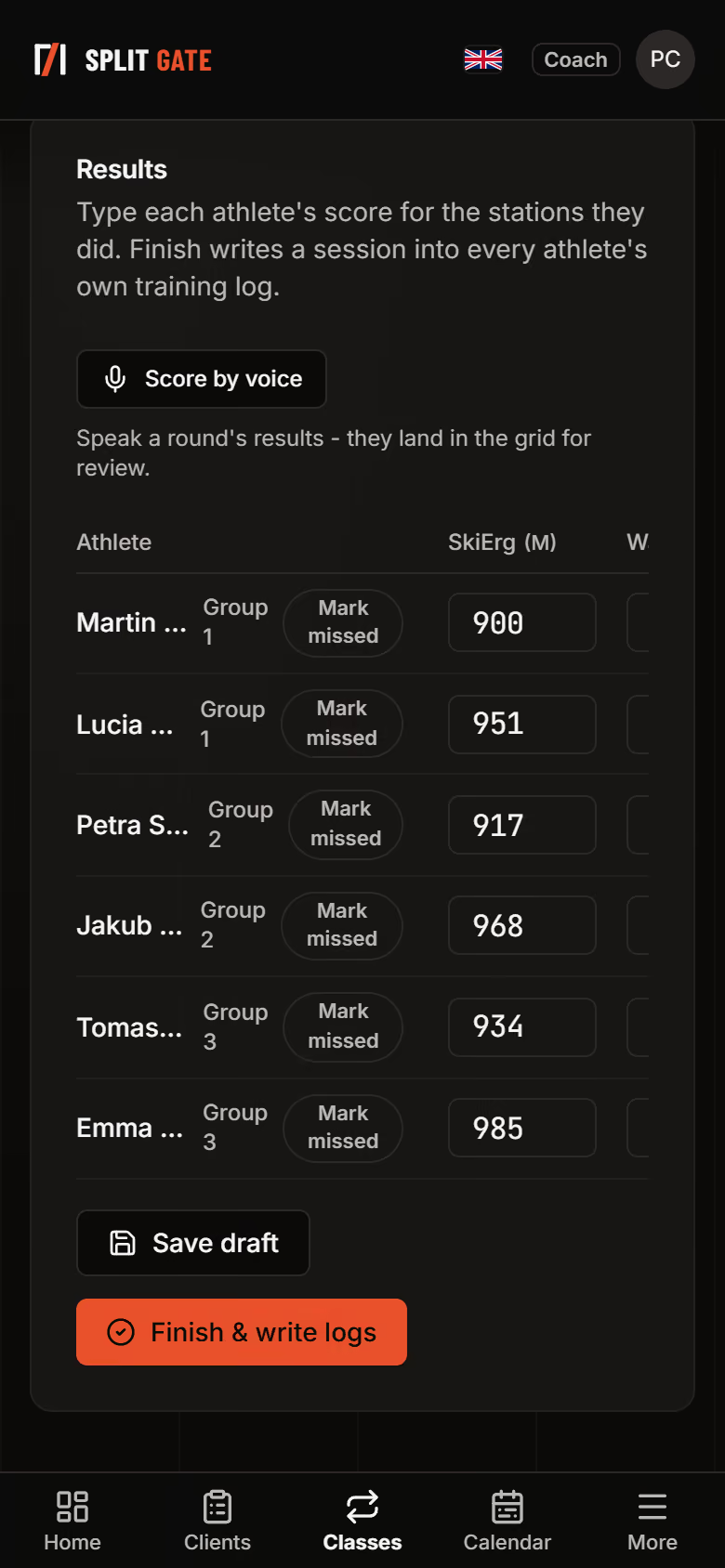
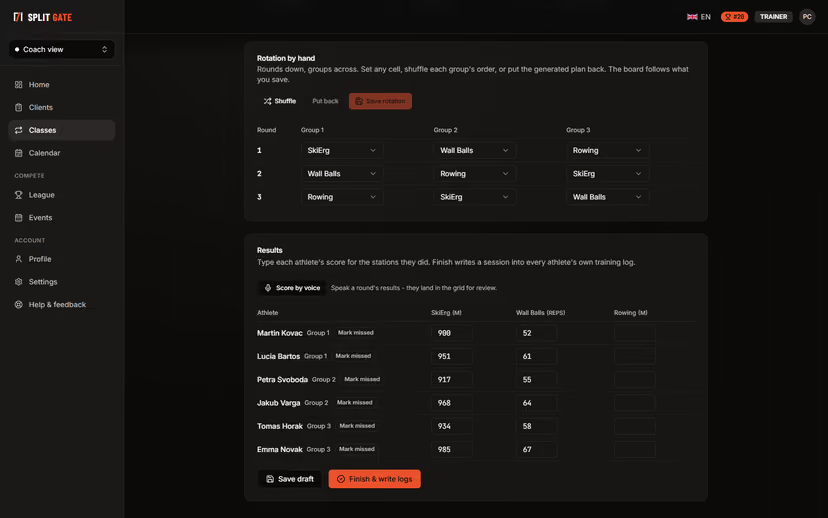
Log everyone's results at once
Type each athlete's score per station, or speak a round's results. Finishing writes a session into every athlete's own training log.
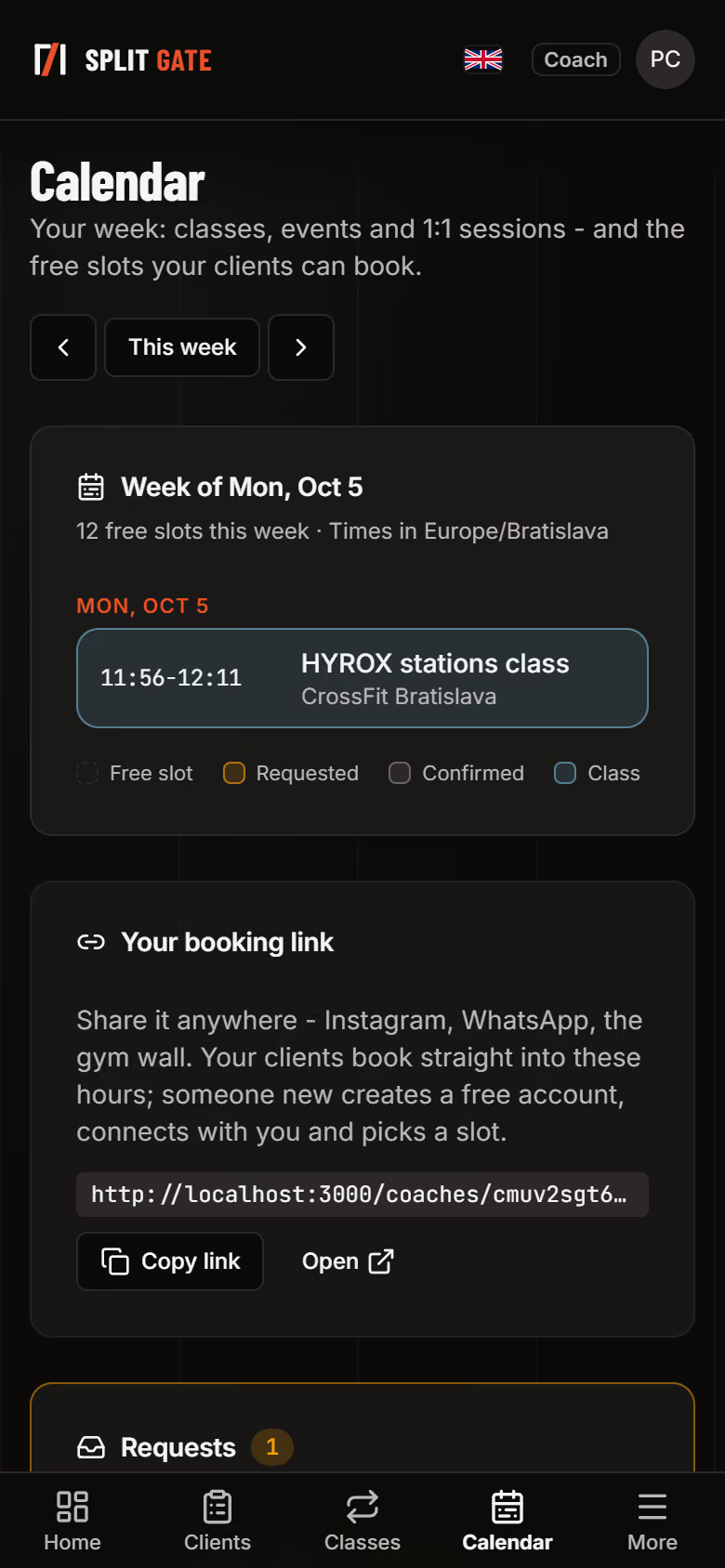
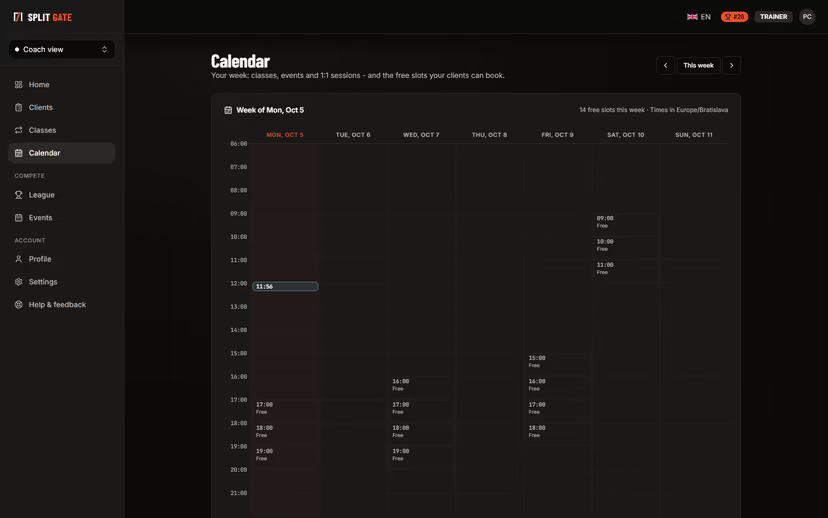
Let clients book your free hours
Your week with classes, sessions and open slots, and one booking link to share. Requests come in for you to confirm or decline.
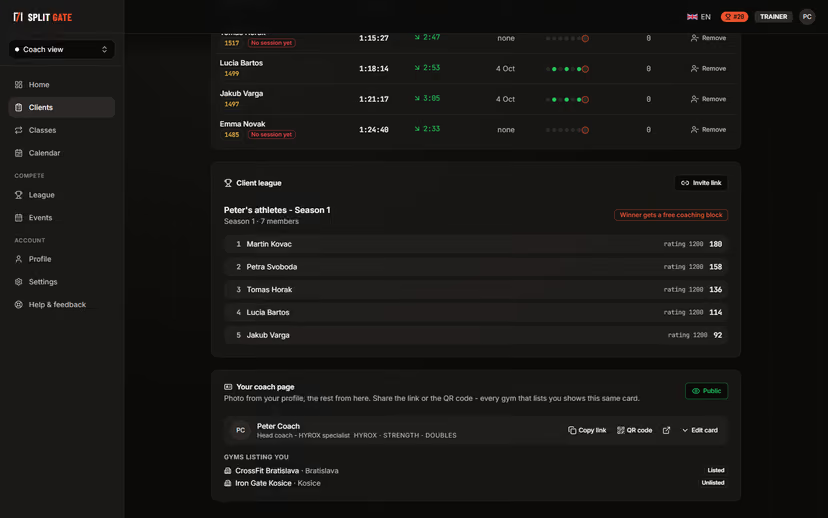
Keep your clients competing
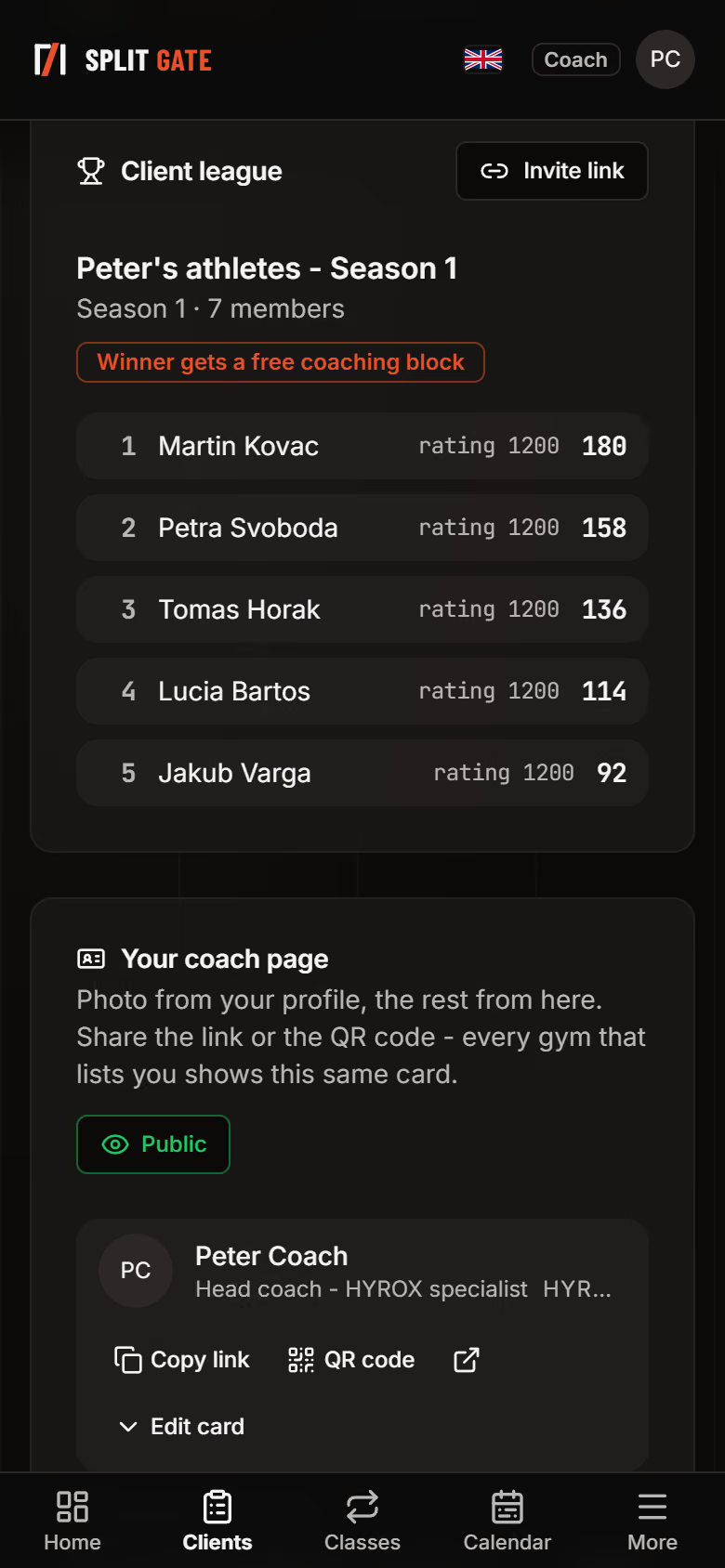
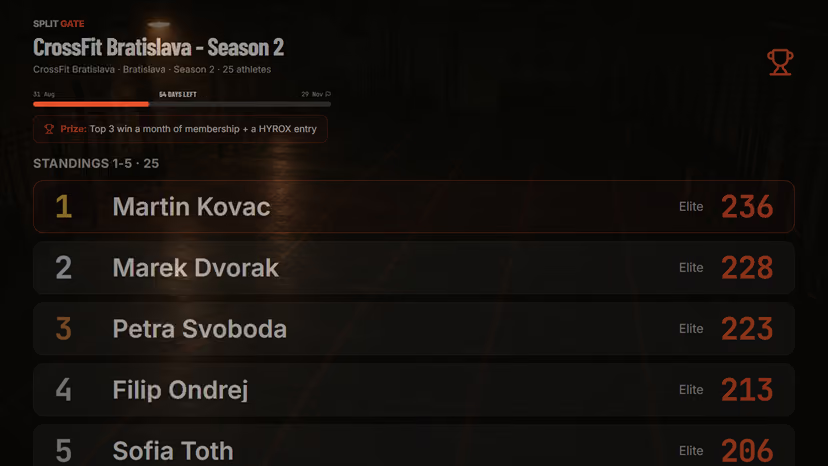
A private league for your clients with its own prize, and a public coach page with a link and a QR code that every gym listing you can show.
The other walkthroughs
Try it with your own clients
The Trainer plan starts with a 14-day trial. Your clients join free.